
Instagram Automation for Business with NabatDesk
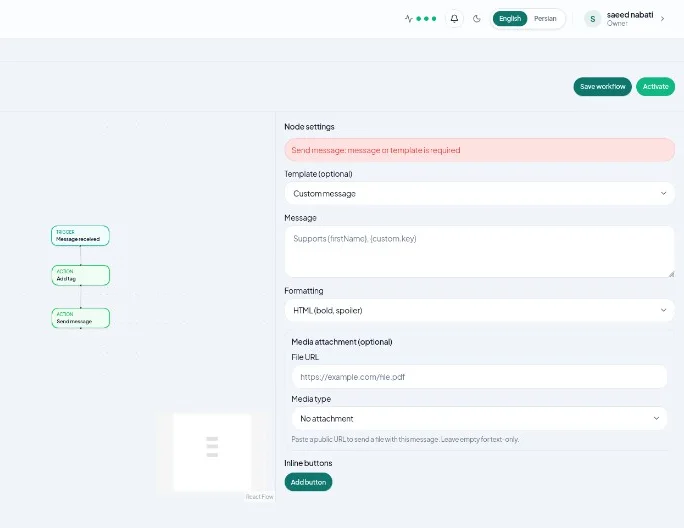
Instagram automation helps sales and support teams answer DMs faster, keep replies consistent, and move high-intent leads into a shared workflow—without living inside the Instagram app all day.
This guide explains what to automate on Instagram, what to leave for humans, and how to run those workflows in NabatDesk alongside Telegram and WhatsApp.
What Instagram automation means for business
Instagram automation is rule-based handling of repeated conversation events: a new DM, a keyword, a tag, or (when enabled) a comment on a post.
It is not the same as bulk promotional blasting. Effective Instagram automation focuses on:
- Instant acknowledgment when someone messages your page
- Routing leads to the right agent or queue
- Tagging conversations for follow-up
- Short, accurate replies to common questions
- Handing the thread to a human when judgment is required
NabatDesk treats Instagram as another channel in the same Inbox and automation engine—not a separate silo.
Why Instagram needs a different playbook than Telegram
Instagram conversations often start from content: a Reel, a Story reply, a product comment, or a profile visit. Volume spikes after posts. Tone is more casual. Media (photos, short clips) shows up more often.
Compared with Telegram bots, Instagram also has tighter product limits (for example, no Instagram inline button keyboards in NabatDesk sends). Design automations around clear text replies and clean handoff—not complex menus.
What to automate first on Instagram
Start with low-risk, high-frequency work:
- First-DM acknowledgment — confirm you received the message and set expectations for response time
- Lead tagging — apply tags like
ig-lead,pricing, orsupport - Simple FAQ replies — hours, shipping basics, store location, catalog link
- Agent routing — assign or notify the right teammate by topic
- Comment → private reply flows — only after you enable comment sync and test carefully
Leave complaints, refunds, custom quotes, and sensitive account issues to humans from the start.
How Instagram automation works in NabatDesk
1) Connect a Professional Instagram account
Use a Business or Creator account. Connect from Settings → Instagram (or Connections), then confirm the account shows as connected.
Details: Connect Instagram and run your first automation.
2) Bring DMs into the shared Inbox
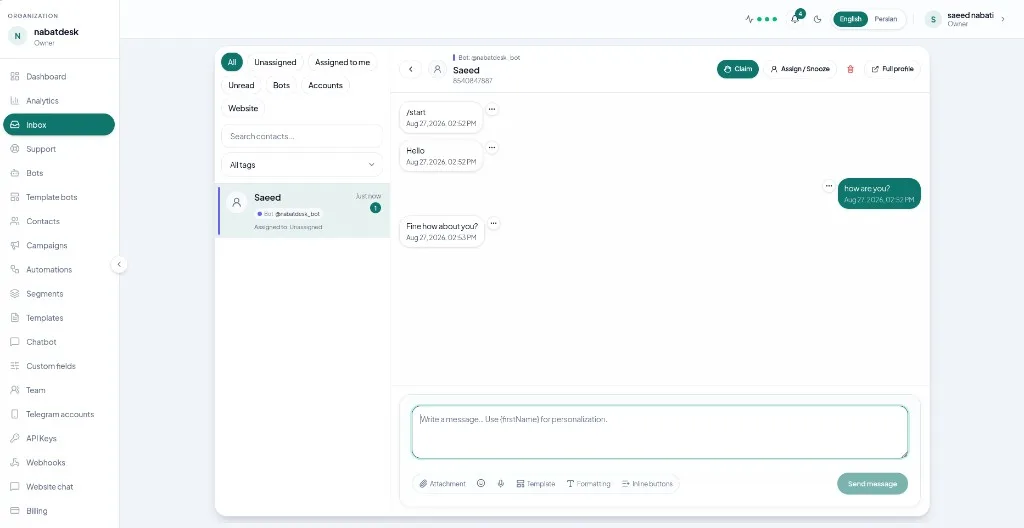
Enable DM sync for the account. Open Inbox, filter by Instagram, and verify a test message appears. Agents can reply from NabatDesk while automation runs in the background.
3) Scope an automation to Instagram
In Automations → New:
- Scope the automation to your Instagram account
- Choose a trigger such as User sent message (or a comment trigger if comment ingest is on)
- Add actions like Send message, Add tag, and assignment/notification steps your workspace supports
- For comment workflows, use comment reply / private-reply actions only when the trigger is comment-based
- Save and Activate, then test with a real DM
Keep Instagram sends short. Prefer text; photo/video/audio are available where the product allows—without Instagram inline buttons.
A practical rollout plan
Phase 1 — Stabilize
- Connect Instagram and verify Inbox delivery
- Publish one acknowledgment automation
- Agree who owns Instagram threads during business hours
Phase 2 — Reduce repetition
- Add FAQ replies for the top 3–5 questions
- Add tagging for sales vs support
- Review failed or ignored automations weekly
Phase 3 — Expand carefully
- Pilot comment-based flows on high-intent posts only
- Connect the same playbook patterns to WhatsApp and Telegram
- Add AI only on narrow, low-risk categories after rules are stable
Common mistakes
- Automating every comment before DM quality is solid
- Long robotic scripts with no “talk to a human” path
- Measuring only automation count, not reply quality and conversion
- Mixing promotional blasts with support automation
- Forgetting that Instagram limits differ from Telegram bots
How NabatDesk helps
NabatDesk gives teams:
- One Inbox for Instagram, Telegram, WhatsApp, and more
- The same automation builder scoped per channel
- Human takeover without losing context
- Getting-started connect guides for each channel
Useful links:
FAQ
Can I automate Instagram DMs with NabatDesk?
Yes. After you connect a Professional Instagram account, you can trigger automations on inbound messages and send replies from the shared automation engine.
Do I need AI for Instagram automation?
No. Many teams start with trigger–action rules (acknowledge, tag, FAQ reply) and only add AI later for open-ended questions.
Can automations reply to Instagram comments?
Yes, when comment sync is enabled and the automation uses a comment trigger with the matching reply actions. Start with DMs first if you are new to the channel.
Will Instagram automations work with my Telegram workflows?
You design patterns once in NabatDesk, then scope each automation to the right channel. Teams often run parallel Instagram and Telegram playbooks in one Inbox.
Final takeaway
Instagram automation works when it protects response speed without hiding your team. Connect the channel, prove Inbox delivery, automate acknowledgments and tags first, then expand into FAQ and comment flows with clear human handoff.
Run Instagram DMs and automations in one workspace. Start free on NabatDesk.